


Real-Time Card Feeds
Real-time card feeds are card transactions that are received directly from card networks like Visa and Mastercard, without relying on the bank. Connect your cards with Zoho Expense to fetch feeds as soon as you make a transaction using your card.
Notes:
- The transactions that were made before connecting and verifying the cards cannot be fetched.
- Currently, Real-time feeds are supported for Visa and Mastercards in the US, UK, Canada, Germany, and Global editions of Zoho Expense. The Global edition includes the US, UK, Canada, Germany, Austria, Denmark, Finland, Ireland, Netherlands, Poland, Italy, and Sweden.
- Real-time feeds for Visa and Mastercards in Austria are currently available in early access in the Global edition of Zoho Expense. Write to us at support@zohoexpense.com to enable it for your organization.
- Real-time feeds currently support only corporate cards.
To connect your card with Zoho Expense:
- Click My View on the left sidebar.
- Go to Cards on the left sidebar.
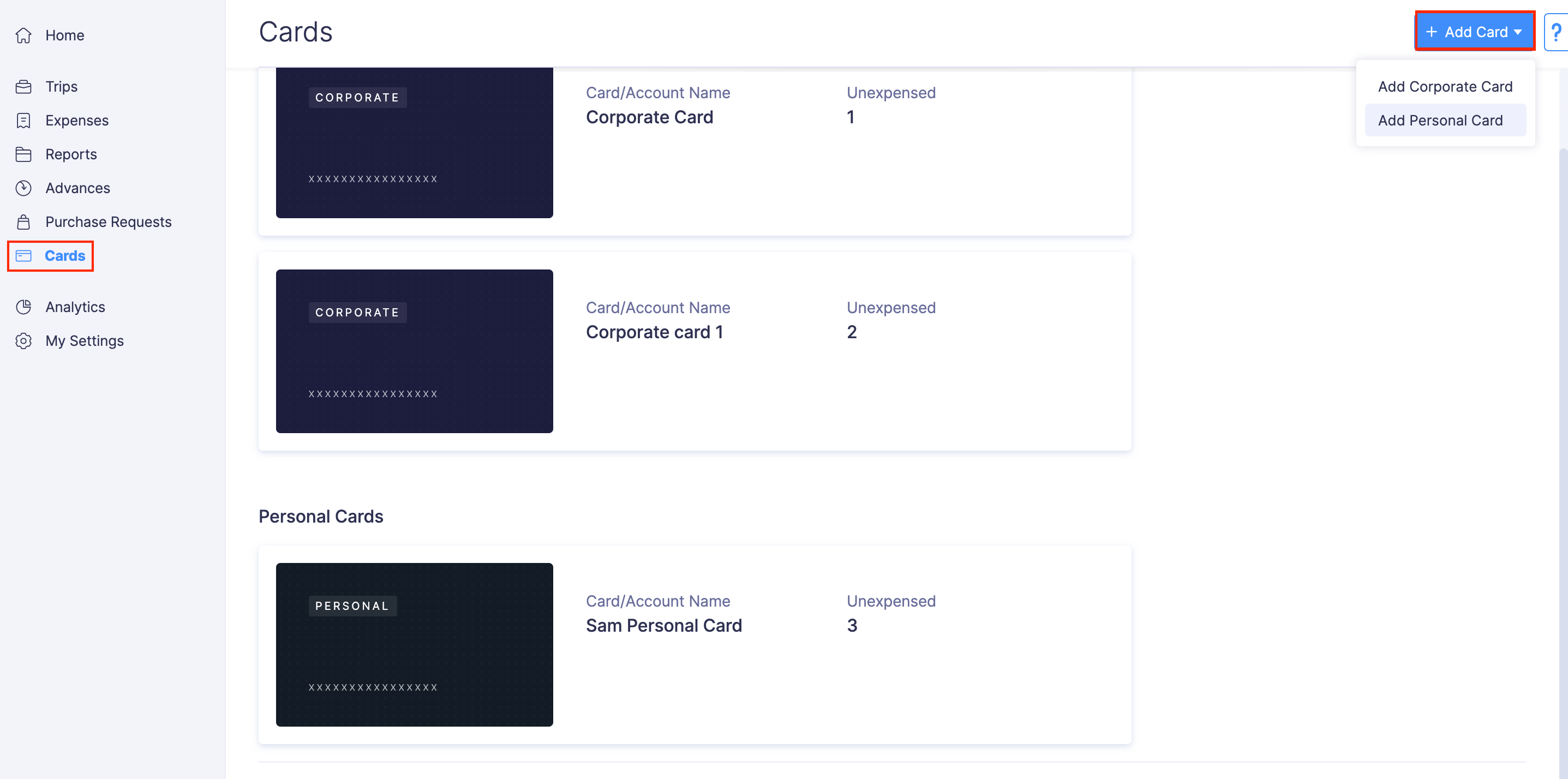
- Click the + Connect Corporate Card.
(OR)
Click + Connect Cards in the top right corner and select Connect Corporate Card from the dropdown.
- Before you proceed with the next step, you must verify if your card supports real-time feed. Then, read and agree to the end user terms and conditions.
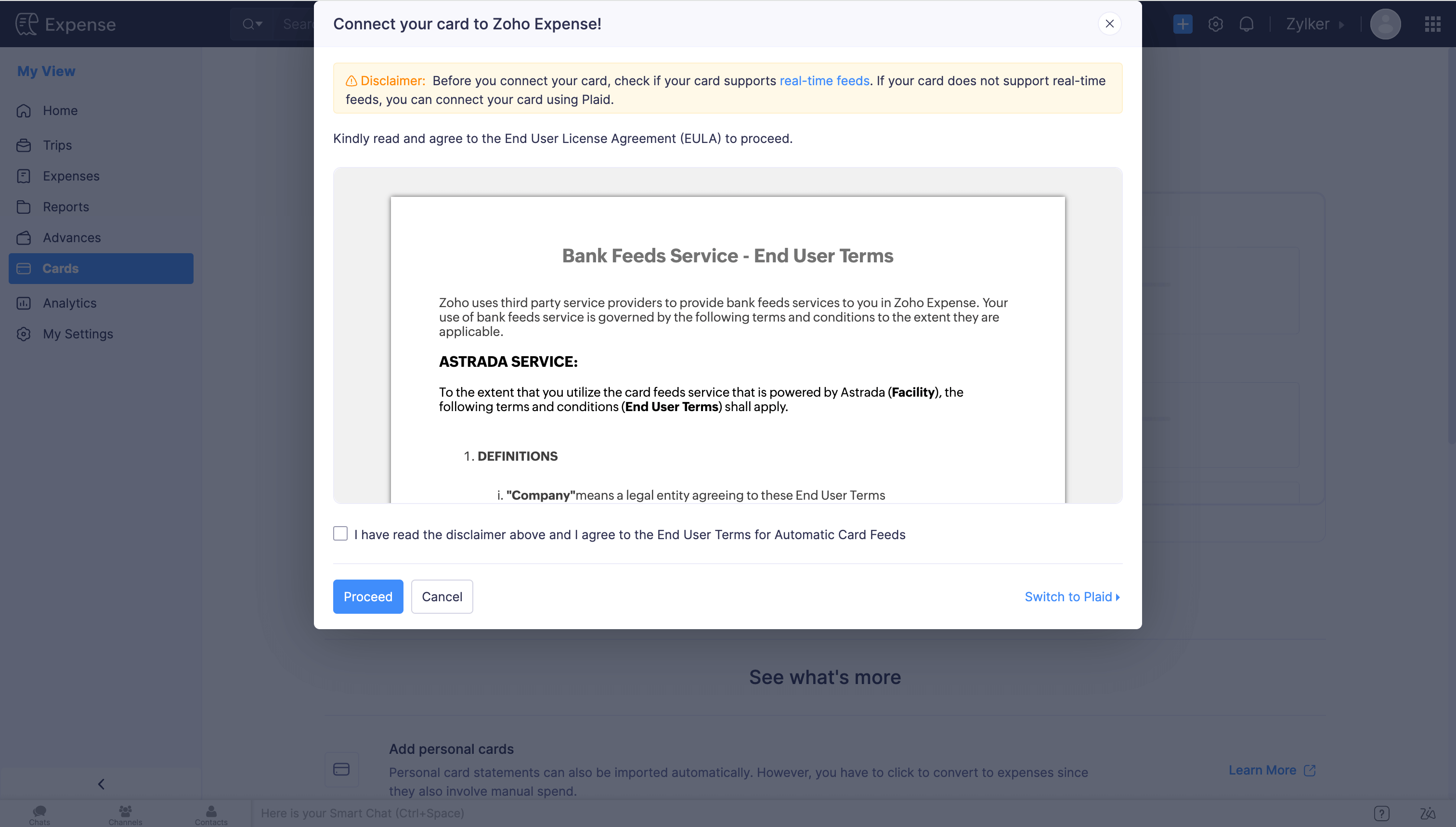
- Click Proceed.
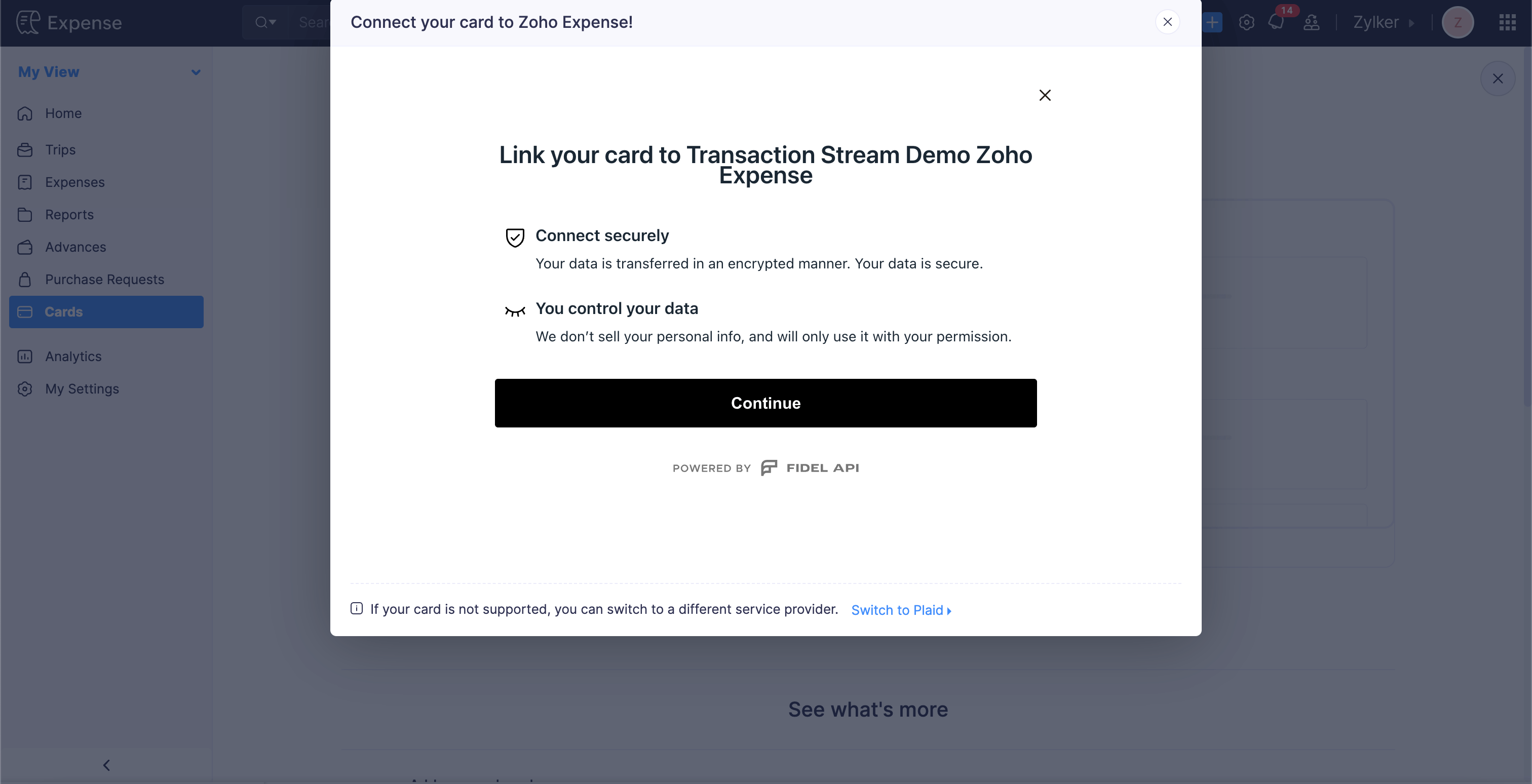
- On the page that opens, you can view the steps that you have to perform to connect your card. Read the details on the page and click Continue.
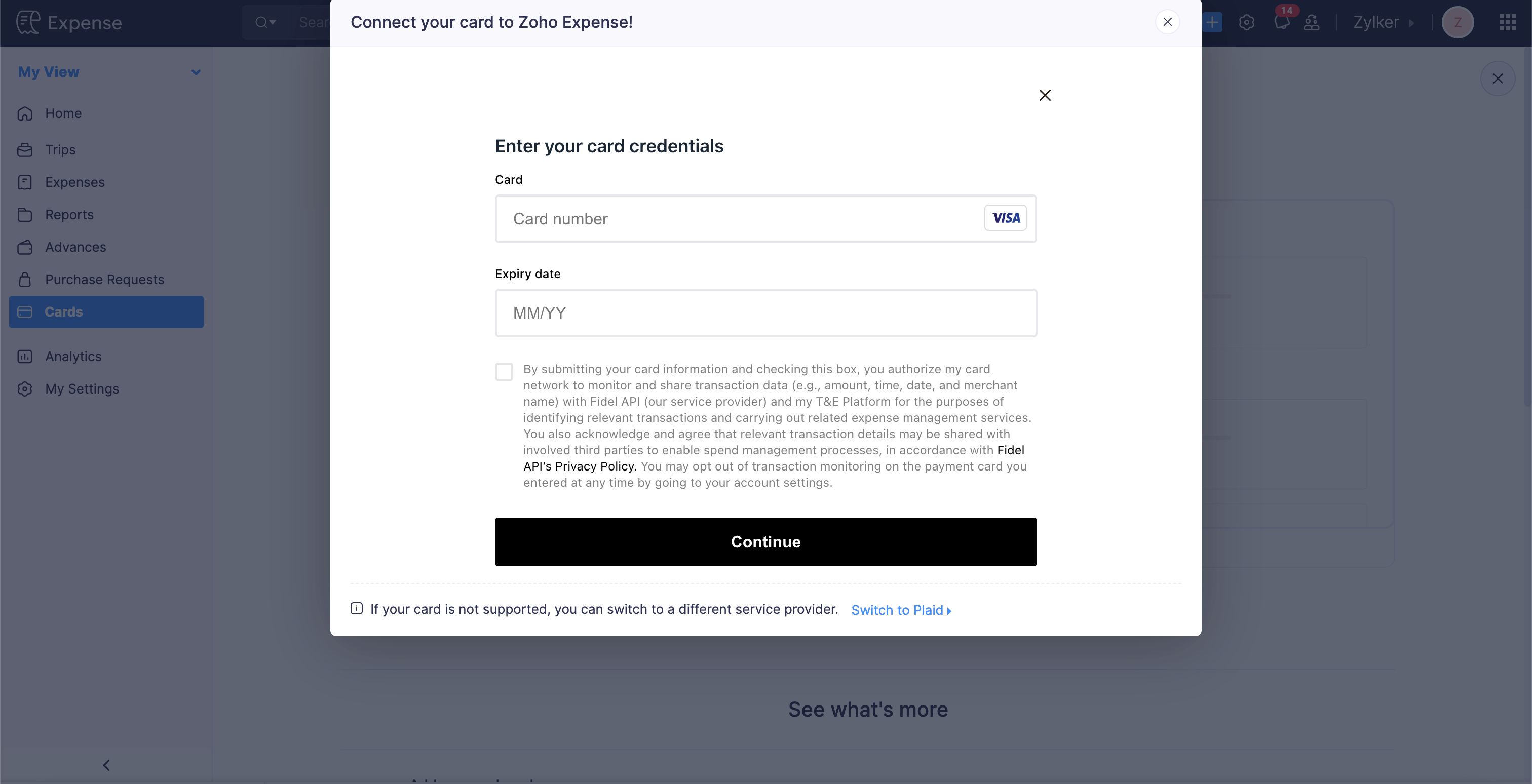
- Enter your card details, including Card Number, Name, Security Code, Expiry Date, and Country of Issue.
- Mark the checkboxes to authorize the card network to monitor and share your transaction data with the involved parties, and click Connect.
With this, real-time feeds will be enabled for your card. In some cases, you may need to enter an OTP during the card verification process. This happens when the system needs extra confirmation of the user’s identity.
Enabling Real-Time Feeds for Existing Cards
If you’ve already connected your cards to Zoho Expense to fetch card feeds using Yodlee, Plaid, or Direct Feed Integration, you can now enable real-time feeds to fetch transactions instantly. To do this:
- Click My View on the left sidebar.
- Go to Cards on the left sidebar.
- Click the card for which you want to enable real-time feeds.
- Click the More icon in the top right corner and select Enable Real-Time Feeds from the dropdown.
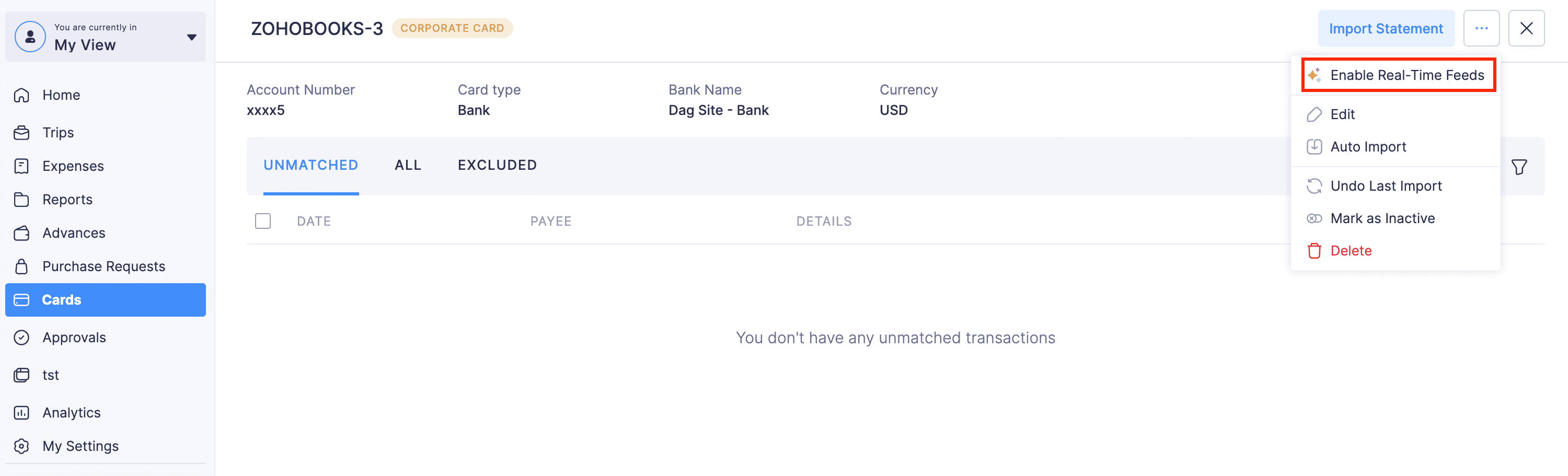
- In the pop-up, you must verify if your card supports real-time feed. Then, read and agree to the end user terms and conditions.
- Click Proceed.
- On the page that opens, you can view the steps that you have to perform to connect your card. Read the details on the page and click Continue.
- Enter your card details, including Card Number, Name, Security Code, Expiry Date, and Country of Issue.
- Mark the checkboxes to authorize the card network to monitor and share your transaction data with the involved parties, and click Connect.
With this, real-time feeds will be enabled for your card. In some cases, you may need to enter an OTP during the card verification process. This happens when the system needs extra confirmation of the user’s identity.
 Yes
No
Yes
No
Thank you for your feedback!